


Studio 2
VFX 448 | Update 12.0

I have done so much in this interior in the last week, it's indescribable. I spent a while filling the walls, fixing the meshes, and UVing. I'm texturing still, but as of Monday, 3 am, I have 4 sets of materials done in this interior, and about 5 to go, but thankfully, I did the hard ones first! I have fixed the interior lighting; I was having issues previously. Reworked all the screen materials to fit. Hopefully I can get this finished by Thursday! I am so close; I have been pushing so much to get this last room done. No more updates until it's done.

VFX 448 | Update 11.0
May 18th 2026

Working some on the interior slap comps I had before. I know it's a bit late, but I had an idea for each new beat hit when we're going through the interiors, a new word or a couple pop up on the screens. Thankfully, I have my AE file, and I'm just rendering out portions for each hit. I also ran my sloppy comps through a local model (Flux2 Klein), then another for a decent depth pass. And made the changes to the room from the feedback I got.


Here's some viewport images of the updated room.

This is the comp I'm going to render following the feedback.


VFX 448 | Update 10.0
May 12th 2026
More interiors are being worked on. Gotta work on some of the brightness I'll see at school tomorrow, this is just a screenshot from the viewport. Got some great help from Aaron, Austin, and Kulin. I want more grit in the comps, so they all suggest playing with Grain, Lens Distortion, Vignette, Vignette edge blur, Glare/Anamorphic, Chromatic Aberration, and Overall low blur. When I render out my interiors this week, I'm gonna go back and try that out. Also, I want to go back to those slap comps I did of the still interiors, and was maybe thinking of running my Photoshop work through a Comfy model to get more cohesion.


I also did some testing on a press kit poster. I made one version based on one of my first SCAD projects, then I did a Photoshop on an AI-generated version I rendered locally, just based on the previs scene. I do like the simple one I made more and im thinking of editing it more to match communist party posters. The AI one is kinda cool.


Monolith is all booleaned out at least on the main text's working on a paint over so the light hits it right. Here are two models, a soviet Soyuz and the Discovery as a toy model. Those were generated using Tencent's HY 3.1 and cleaned up in Houdini and Substance Painter


VFX 448 | Update 10.0
May 9th 2026
I worked mainly on the interiors this week/weekend. The final one I finally got started on last week, and I'm almost done with it. I just have to fix some props up and render the background pass. I also re-rendered my screenshot this weekend, but I have to re-render it because I accidentally left the skydome on in one of the passes and just noticed when putting them together. I do have the full moon shot rendered, I think, for I pray the final time. This coming week, I'm gonna fully populate/materialize the interior of my pantheon, then I do a big pass over the rest of the stuff which is just color correction and comp work.


VFX 448 | Update 9.0
May 4th 2026
Threw Shot 15 back into the render farm to get a new render with the finalized sun animation and lighting. I did that after my class, and it's taken almost all day to get through the queue, sadly. I started my sun today, and I'm still in the queue, I fear, but it should be rendered by the morning. I also did my continuity quilt

There are shots I'm rendering locally and have decided to do that already, like my interior shots, I can do locally, and the stills of the inside of the "Pantheon" are local, which only take about an hour each. My biggest hiccups do come from the longer shots where I'm using the render farm. The issue stems from most of them being long shots, so 600+ frames means I have to constantly check the farm for my renders to be sent through and then download and delete the old ones so my storage refills. Although that's only 3 scenes, each is about a day for each by the time I get every frame back, re-render the broken or missing frames, and combine them.
VFX 448 | Update 8.0
May 2nd 2026
So I fixed some of the issues with the animation in the space scene, and I've been working on populating the interior scenes. I started adding more props and making the materials for the first room shot as well since I still had some temporary materials in there. I marked areas in one picture where I want to add even more, especially as the camera moves back, it's too dull.

VFX 448 | Update 7.0
April 28th 2026
Got renders working again! I started more on the interiors over the weekend, I didn't have the chance to blog, and I've made more progress yesterday and today. Ive got some more modeling and fixing of materals/textures and scale in this room but im happy with how its coming.


Viewport:

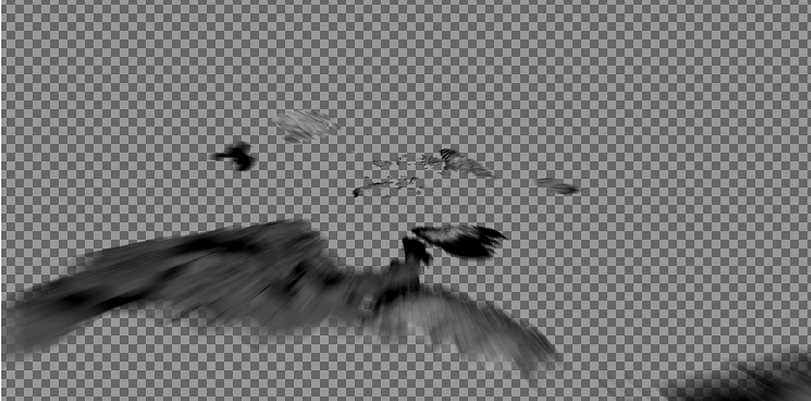
Also got my rocks layer rendered yay

VFX 448 | Update 6.0
April 19th 2026
So I've got my renders out, and I realized that for the close-up render on the moon, I forgot to enable the rocks on the ground. There also seems to be some artifacting on the closer surface, and it's skipping about 5 frames, so I went to re-render and ran into more issues. No matter what I do, I keep getting a file format not supported error. It's so irritating because the log tells me nothing. I think it could be a memory issue, but I've disabled everything, lowered the quality and samples, and it still won't even start! I'm giving it one more shot tonight, and then I'll have to render locally for these rocks.
So, for the planet, I have to fix the missing frames, stuttering, and mismatch cut, which I think can be done with another render if I can ever get it out!

Working on Next
-
Tidying/Cleaning up Room 1
-
Starting Models on Rooms 2,3,4
-
Finishing fire for room 4.
-
Proper transition into Space from TV
-
Fixing Issues on Space Shots {Missing Frames/Speeds}
-
Finishing the final Interior Room.
-
Making a proper monolith.
-
Making Proper "eclipse."
-
Comp everything.
Got some new work done on one of the interiors, also got these two columns modeled and UV'd. I just have to texture the Egyptian one. For the interiors I think im going to start asset farming online so I dont have to model everything myself!


VFX 448 | Update 6.0
April 19th 2026
You can click the song now.
Good news! I got the sun fully rendered, 3 layers, and comped together. I may re-render one of the layers because I feel it is too big, but maybe I'll save it for after class 10! I am running into a stupid issue, though. My EXRs import fine, I can read them in the timeline fine, but when I go to write in Nuke, it is stuck on calculating. Even when I try to precomp everything, it's all stuck calculating and never starts, so I really have to figure that out. Even in the buffer report, everything looks alright, so I'm super confused. Here's some photos and a screen recording. Next week, I'm gonna reupload the surface at school and re-render that.


Heres some texturres
VFX 448 | Update 6.0
April 14th 2026
Fully fixed the camera animation with the issues closeup + I fixed the distance with the newer sun. I may still have to speed up the slowdown section a little more, but we will see.
I am also still adjusting the landscape because the higher-res and lower-res areas don't match as much as I'd like them to, so I can see the seam.
Also, my student's Nuke license expires in 6 days, so I have to figure that out.


Less noticable seam on the first layer, Inner layer kinda obvious still, am fixing

VFX 448 | Update 6.0
April 11th 2026
Planet scene is fully* rendered (I am missing some frames the farm skipped over). But I am doing a comp over it right now, and I think I have to change some of the camera speeds when getting up close because changing the scales also changed my speeds. I also had to reanimate the shot where the sun is, and I'm still trying to figure out my farm error. My idea now is to render each separate thing as its own layer and compile it together. I did do a quick slap of the long entrance shot.
You can see the frames skipped pretty easily here; also, the way the camera moves screws up my motion blur. Am fixing. It will start futher back now with the sun.
VFX 448 | Update 5.0
April 6th 2026

Imagine this error times like 10.
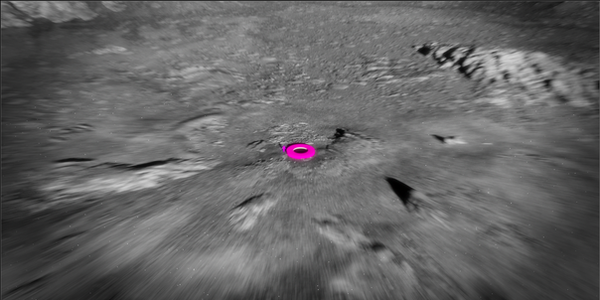
well I got a lot. But I still cant render these... I've got some small versions, but nothing I'd like. The sun and planet comps are coming together tho. I definitely have to rework the camera in this tho. I do really like the look.




VFX 448 | Update 4.0
April 3rd 2026
I've worked more on my planet scene and am getting a nuke script setup for that. I've also imported my camera into that scene and my sun scene, which I'm also working on. I am really struggling with the render farm; some shots render fine, but others I hit a memory error on instantly, and the farm crashes. I do think ive gotta go back and optimize this more then maybe render in layers.
VFX 448 | Update 3.0
March 30th 2026
Still working on the environment setup for this final planet scene. I think I'm almost fully done with the close-up area now. I just have to blend the medium and far objects together because they're off I just gotta work on faking the details a bit more. I think I can do all of that in shader. I also am playing around with the sun direction I kind of like the V shape I have going on right now.


VFX 448 | Update 3.0
March 30th 2026
This weekend I started working on the final shots. My main focus is to get everything ready for painting and remodeling / replacing the previs meshes. I finished my large-scale planet and started making levels for it, so the closer to the entrance has more detail than the back sections. Im starting close to out so doing the most detail closer in we are to the building entrance. I also had to go in and rescale my environment. I had always thought my scale was a little big, but I hadn't gone into retime the animation for a new scale, so I did that. It looks the same, but the room is more real-world scale, and so is the Oculus entrance, which makes building the outside easier.

Different distances the camera will see. Far out needs work im trying to get my planet textures the right size its a little buggy. Also I want to do a quick motion blur pass to see how much you can actually see.


I am working on the Oculus textures too in substance. There are not a lot of good photos of the top but from what I can tell its very oxidized bronze? Either way it doesnt matter much because I can make it what id like. Im gonna keep working on this ending part.


VFX 448 | Update 2.0
March 25th 2026
More paintings. Fixed up the network a little more, still some issues, but at least it doesn't really matter if I can get them relatively close. Also, set up an auto USD export for each painting.

VFX 448 | Update 1.0
March 23th 2026
Over the break, I had some time to start working on my paintings, and I did some rudimentary texturing on my floret. The paintings started off as a bit of a challenge because I had to create a procedural canvas and figure out how to mass-download tons of high-resolution, famous paintings.
I solved both of these issues. For the first issue, I worked in VEX in Houdini and created a pretty simple painting frame generator that lets me create frames of any size and customize the height, width, depth, frame depth, and ornamentation using a curve profile. For my second issue, I had to find a large library of fairly available paintings to download and a way to bulk download the paintings I want. The artwork library I used is the National Gallery of Art's online artwork page. I created a Python script that uses Microsoft's Playwright library to load webpages using Chromium and bypass their bot-detection protections. This just lets me easily automate my painting downloads so I don't have to go back and forth downloading, copying, and fixing the paintings online, and it works great! I also made a pretty simple setup for creating different painting textures by crunching image values to generate masks. It seems to work well for most of the paintings, though I was thinking of trying Ubisoft's comfyui chord model to see if it could produce better PBR textures.


